

Tayli™ Water · iPhone
A glass, a tap, and a nudge when the day gets away from you.
Tayli Water counts what you drink and reminds you when you have forgotten. That is all it does, and it does not want to do more. Free, offline, and built — in all honesty — because one of us kept forgetting.
Free, with nothing to unlock but looks. Requires iPhone with iOS 18 or later.
A look at it
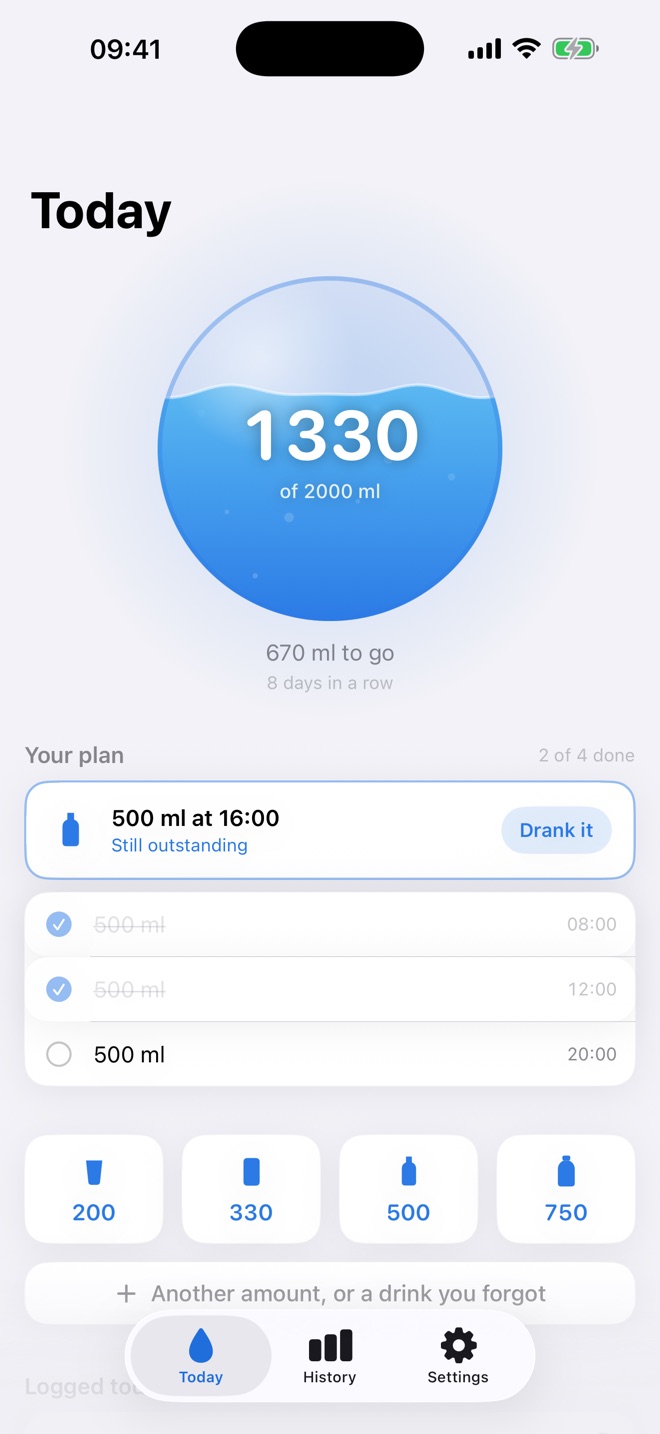
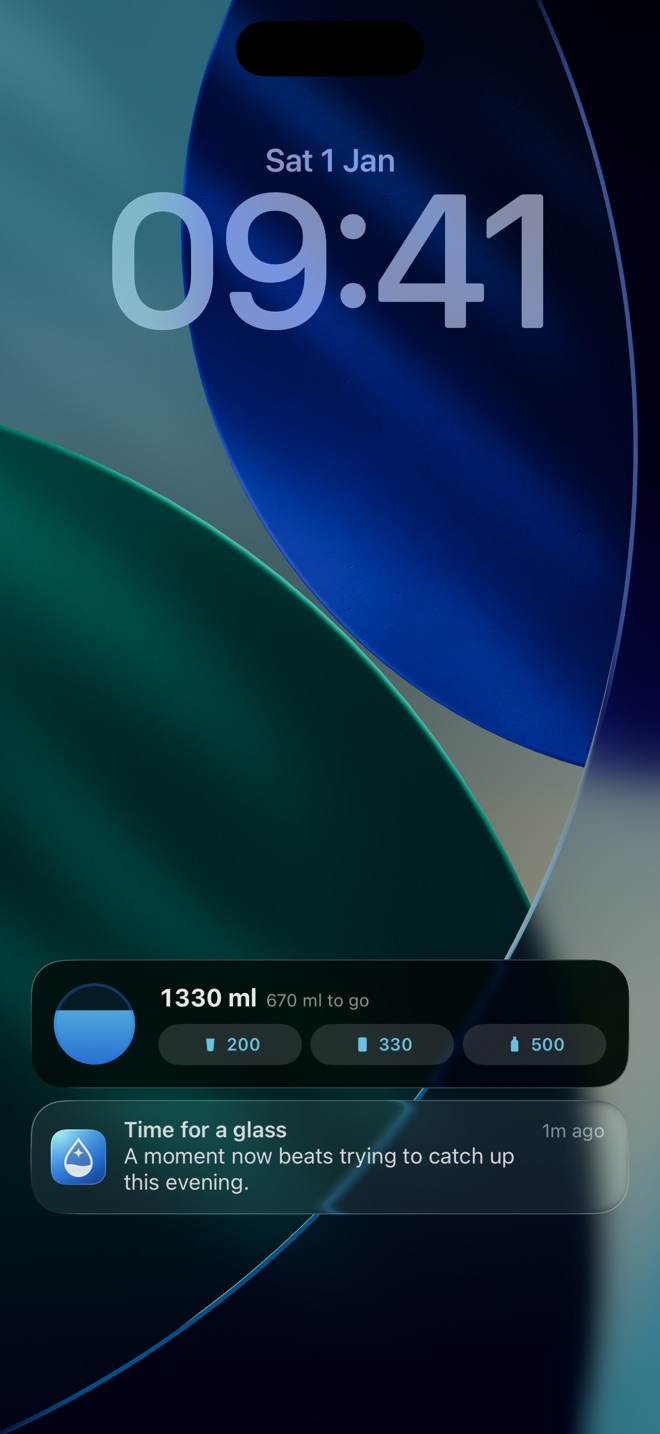
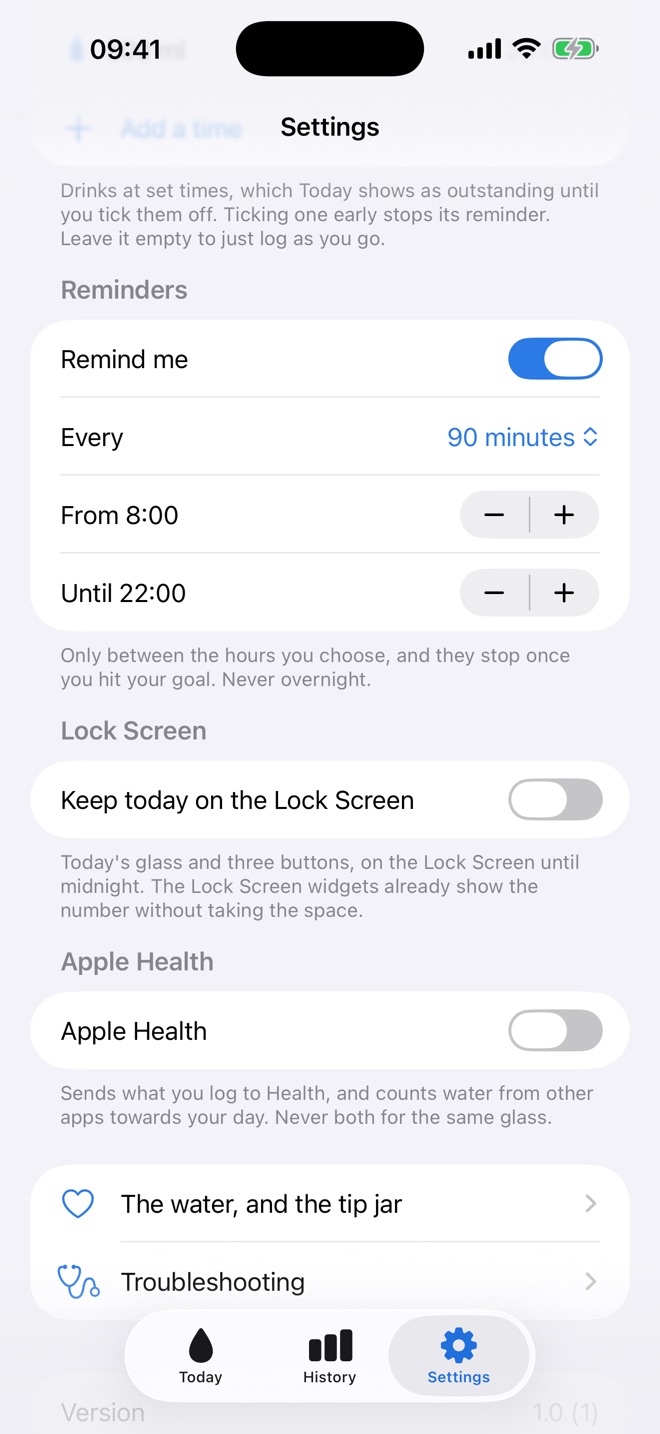
The actual app
Not mock-ups. These are screenshots of the version on the App Store today.
What's in it
Small on purpose
A glass that fills
Your day is a glass, not a ring. The water actually moves, and you can read how you are doing without reading a number.
One tap per drink
Up to five sizes on the front screen, and they are yours to set — a 350 ml can and a litre flask are real things to drink. Anything else takes one more tap, and so does a glass you forgot to log an hour ago.
A goal you pick
Two litres is the usual advice, but it depends on your size, the weather and what you are doing. Set something you will actually hit — a goal you miss every day is just a daily reminder that you failed. If Health knows your weight, the app will offer a starting number.
Reminders that stop
Only between the hours you pick, never overnight, and they stop for the day the moment you hit your goal. A nudge to drink more after you already have is just noise.
A plan, if you like
Set the drinks you mean to have and when. Today shows what is still to come, and ticking one off early stops its reminder. Leave the plan empty and just log as you go.
Undo where you tapped
A mis-tap is the most likely thing that will ever happen here, so the fix sits on the entry itself rather than behind a swipe.
A can looks like a can
Five vessels, drawn rather than borrowed, picked by size on your behalf. 330 is a can, 500 is a bottle, and you can tell which button is which without reading the number underneath it.
Light, dark, or neither
Follows your phone unless you would rather it didn't, in which case say so once and it will stop asking the phone.
It leaves when you do
Export the lot as a spreadsheet whenever you like, and erase all of it from inside the app — including what it put in Apple Health. No account means no one to ask.
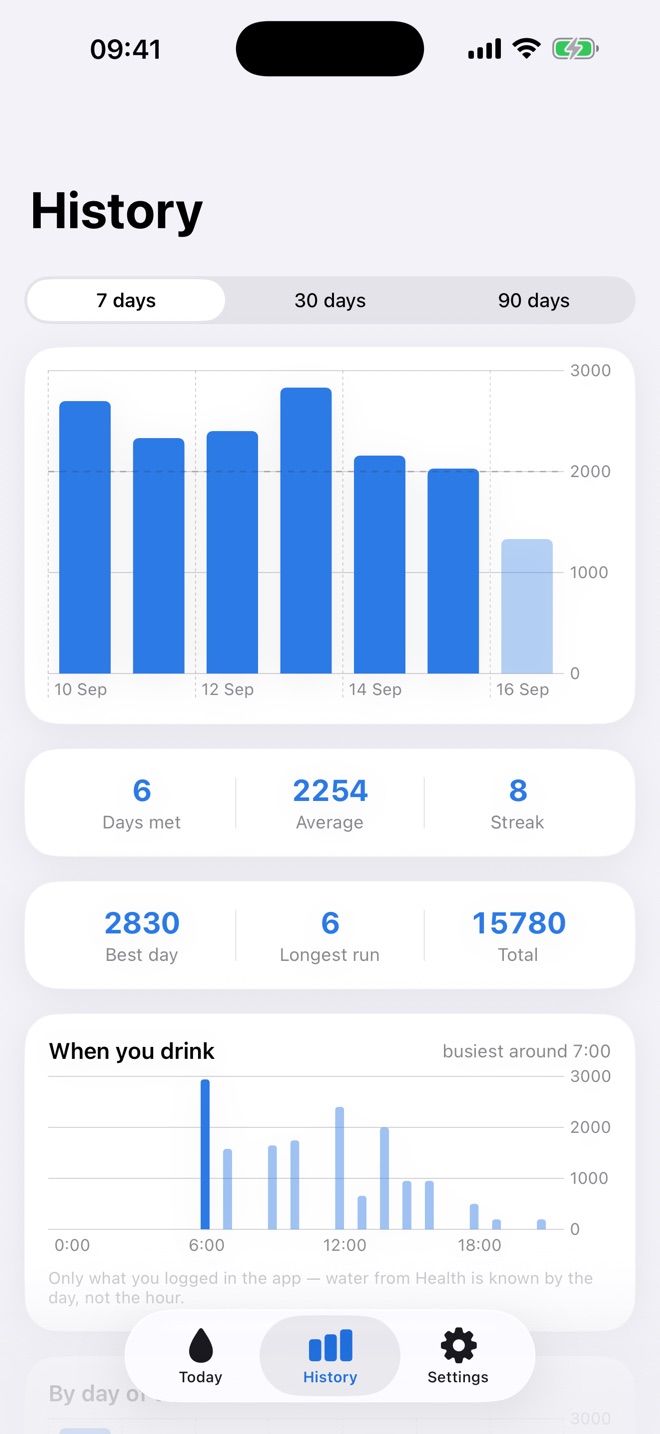
Honest history
Seven, thirty or ninety days, with the empty ones still shown. A chart that hides the days you missed tells a much kinder story than the truth.
Millilitres or ounces
Stored one way, shown the way you think. Change it whenever and every number in the app follows.
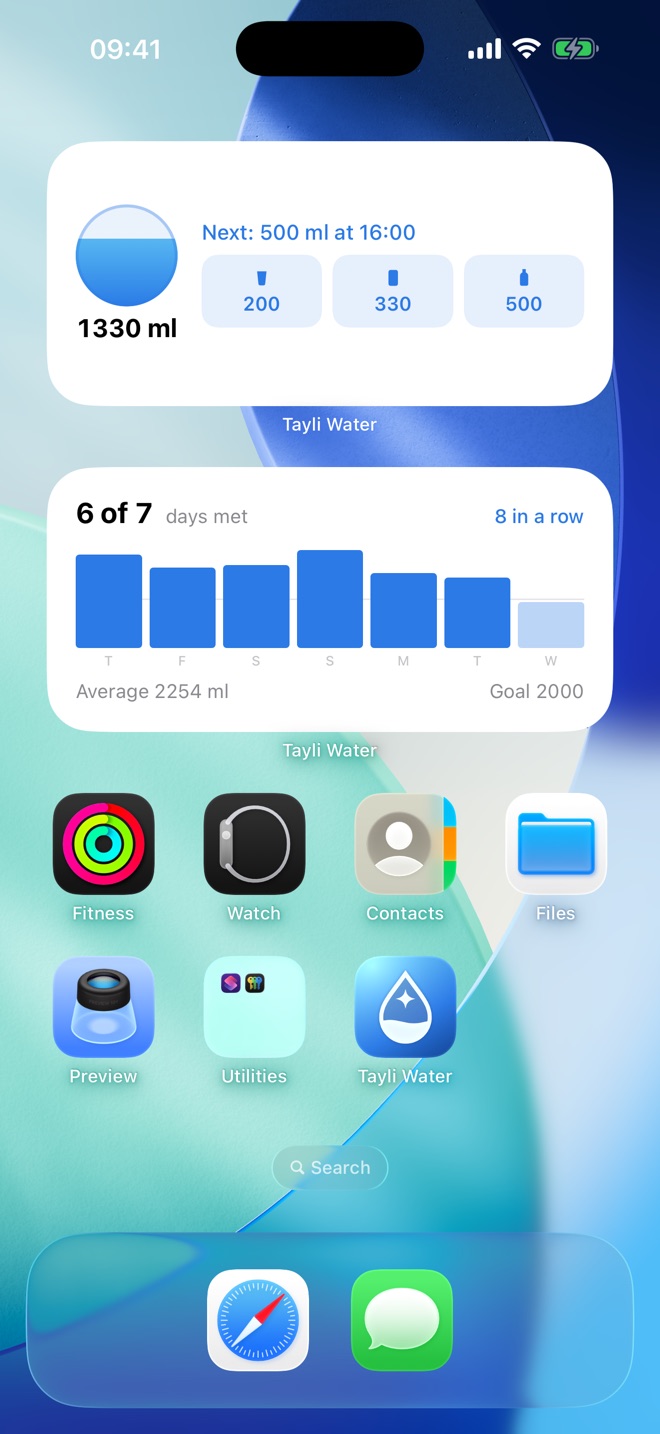
A button on your home screen
The widget logs a glass where you are, without opening anything. The most common complaint about every app in this category is having to unlock, find it and wait — so the widget does the whole job itself. If you want the buttons on the lock screen all day you can have those too, though it is off until you ask: the lock screen widgets already show the number without taking the space.
Health, both ways
What you log here goes to Apple Health, and water you logged in another app counts towards your day. Never twice for the same glass. Off until you turn it on.
The price
There isn't one.
No account, no subscription, no premium tier holding your own history hostage. Everything stays on your phone — there is no server for it to go to. There is a tip jar, and what it unlocks is a handful of different looks for the water: a nebula, a cauldron, something alarmingly green. That is the entire list. Every number, every reminder, every day of your history and every part of Apple Health works exactly the same whether you ever leave a tip or not — an app that gets worse until you pay for it was never free. Tayli Move draws the line in the same place.
Help
Something not working?
Reminders that went quiet, a widget showing yesterday, water you did not log turning up in your history — the common ones have a two-minute fix, and they are all on one page.